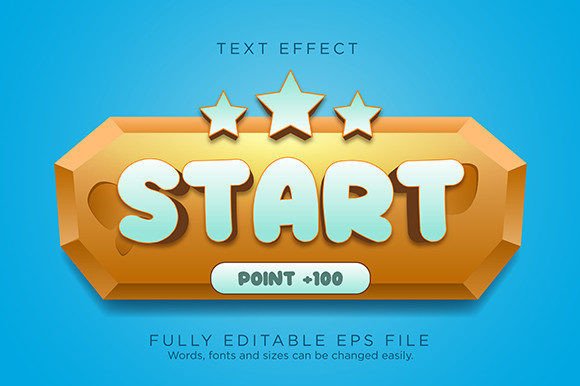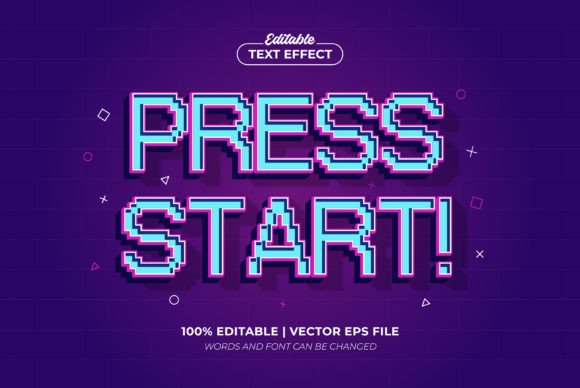
Press Start Game 3D Editable Text Effect: Your Design Shortcut
Every designer knows the feeling. You have a solid concept for a project—maybe a retro-themed party invitation, a new YouTube channel banner, or promotional graphics for an indie game launch. The layout is taking shape, but the headline text feels flat. It needs depth, personality, and that unmistakable arcade energy, but manually creating a convincing 3D, beveled text effect from scratch is a time-consuming process. This is precisely the gap the Press Start Game 3D Editable Text Effect is built to fill. It’s not a traditional font you install; it’s a pre-built, high-quality graphic style designed for Adobe Illustrator that transforms your standard typography into a striking, retro-gaming masterpiece with just a few clicks.
Understanding the Visual Power: More Than Just a Pixel Look
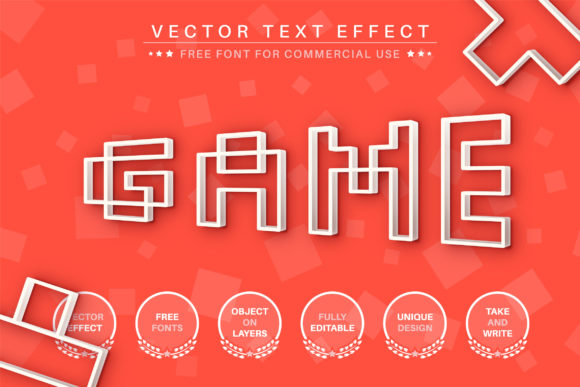
At its core, the Press Start Game 3D Editable Text Effect delivers a specific and potent aesthetic. It captures the essence of classic 8-bit and 16-bit video game title screens, but with a modern, three-dimensional polish. Think of the bold, blocky lettering of vintage arcade cabinets, but extruded and shaded to pop off the page. The style features sharp, clean edges, a strong sense of depth created through strategic shading and highlights, and a tactile quality that makes text feel almost like a physical object. It’s a display font effect that commands attention, perfect for headlines and logos where immediate impact is non-negotiable.
The personality it conveys is energetic, nostalgic, and playful, yet it retains a professional finish that elevates it beyond simple pixel art. This isn't about mimicking a low-resolution screen; it's about leveraging the retro gaming visual language to create something that feels both familiar and fresh. The "3D" aspect is crucial, providing the visual hierarchy that draws the eye directly to your message. For a brand identity targeting gamers, tech enthusiasts, or a young-at-heart audience, this effect can become a recognizable cornerstone of visual communication.
Practical Applications: Where This Effect Truly Shines
The true value of any design asset lies in its versatility. The Press Start Game 3D Editable Text Effect excels in scenarios where you need to inject personality and clarity quickly. Its applications span a wide range of projects:
- Digital & Social Media: Create eye-catching YouTube thumbnails, Instagram story highlights, Twitch stream overlays, or Facebook event headers. The effect ensures your text stands out in crowded feeds.
- Branding & Logo Design: For businesses, apps, or content creators in the gaming, tech, or entertainment space, this can form the basis of a memorable wordmark or logo. It instantly communicates a specific vibe.
- Marketing & Advertising: Use it for sale announcements, product launch graphics, webinar titles, or event posters. Its high-contrast nature ensures key information is read first, improving the effectiveness of your visual hierarchy.
- Publishing & Editorial: Magazine covers, chapter headings in a digital publication, or blog post featured images can benefit from this stylistic punch, especially for topics related to culture, technology, or entertainment.
- Personal Projects & Crafts: From custom party invitations and printable wall art to T-shirt designs and scrapbooking titles, the effect adds a professional flair to hobbyist creations.
It’s particularly effective for packaging design for products like energy drinks, snack foods, or board games that want to evoke a sense of fun and competition. The key is alignment: the style must match the project's overall tone. Using it for a law firm's annual report would be jarring, but for a mobile game's App Store icon, it's perfect.
Integrating the Effect: A Designer's Practical Guide
Adopting a new creative font or effect into your workflow should be a thoughtful process. Here’s how to approach the Press Start Game 3D Editable Text Effect:
- Evaluate Project Fit: Before applying it, ask: Does this project's audience appreciate retro aesthetics? Does the brand voice allow for playful, bold typography? If the answer is yes, you have a strong candidate.
- Master the Editability: The product's core strength is its full editable text feature. In Adobe Illustrator, you simply click the text with the Direct Selection Tool and type your own words. You can also change the underlying font to any serif font, sans serif font, or even script font you prefer, and the 3D effect will apply to it. This flexibility is a massive time-saver.
- Consider Readability: While it's a display font effect, never sacrifice legibility for style. Ensure the text is large enough and has sufficient contrast against its background. Avoid using it for long paragraphs of body copy; its strength is in short, impactful phrases.
- Explore Font Pairing: For a cohesive design, pair the styled headline with a clean, neutral sans serif font for supporting text. This creates balance, allowing the decorative element to shine without overwhelming the viewer. For example, the bold 3D effect for a title paired with a font like Open Sans or Lato for descriptions works well.
- Leverage the Included Assets: The provided files—typically an EPS for full vector scalability and JPG previews—are your tools. The EPS format means you can scale the effect to a billboard or shrink it for a business card without any loss of quality, a hallmark of a premium font asset.
When you use the Press Start Game 3D Editable Text Effect, you're not just adding text; you're incorporating a piece of modern typography designed for digital-age impact. It streamlines the creation of professional, engaging graphics, allowing you to focus on the broader creative strategy. For designers, marketers, and creators looking to inject instant retro-gaming energy into their projects with precision and ease, this effect is a powerful tool to have in your arsenal. It bridges the gap between a quick idea and a polished, visually compelling result.